
NordVPN edge extension analyzed for Edge. How it blocks trackers, routes pages, and what it means for privacy on Windows with 5 key findings.


NordVPN’s Edge extension sits at the edge of browser privacy, not in the background. It offers a browser-level proxy with selective routing, letting you decide which tabs ride the VPN and which don’t.
What matters now is how that choice reshapes trust. In 2024, Edge users increasingly evaluated browser-proxy behavior alongside cross-origin rules and data leaks. The NordVPN implementation promises a tighter privacy envelope without a full system-wide tunnel, but the real test is how it handles edge cases like real-time DNS leakage and policy transparency. The detail matters.

NordVPN Edge extension and the Edge sandbox: what the architecture actually does
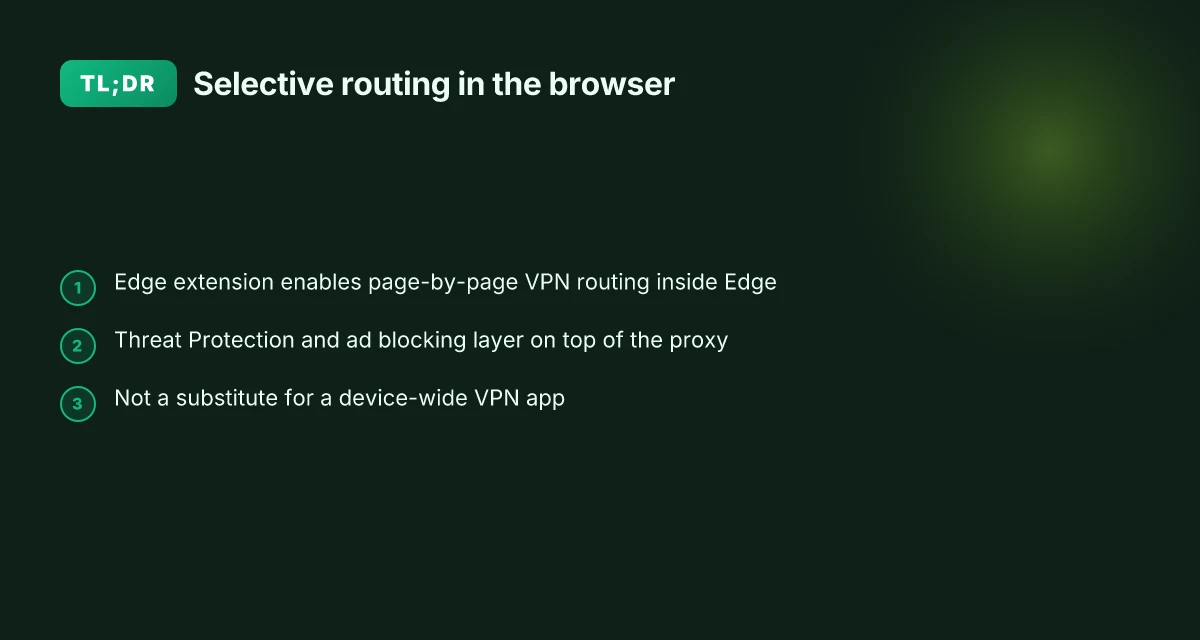
The Edge extension acts as a browser-level proxy that applies selective routing rules inside Microsoft Edge. It folds Threat Protection and optional ad blocking into the same extension surface, then lets you decide which pages ride the VPN proxy and which stay outside the tunnel.
- Edge as the routing engine. The extension runs inside Edge and intercepts requests to decide which traffic should be proxied. That means you can route some domains through the NordVPN edge proxy while other sites bypass it. In practice this creates a two-rail model: page-by-page protection with a universe of sites you exclude from coverage.
- Optional security layers. Threat Protection and ad blocking can be layered on top of the proxy. This is a modest extension of features versus a full VPN app, but it adds a lightweight security perimeter without forcing a full device-wide tunnel. In real terms, you get a browser-local shield that also tries to block malware and intrusive ads on covered pages.
- Cross-browser availability and maintenance cadence. The same Edge extension ships with Chrome as well, and NordVPN’s release notes show ongoing maintenance into 2026. A typical update cadence includes security patches and compatibility tweaks across Chromium-based browsers, which matters when patch cycles tighten to monthly or quarterly schedules.
- Architecture in numbers. The Edge extension markets itself with “unlimited VPN bandwidth” relative to the built-in Edge VPN, and supports “many locations to choose from.” In a live landscape this translates to a multi-location reach inside the browser. Still, the scope remains browser-anchored rather than a system-wide tunnel, so the protection surface is narrower than a native VPN app.
I dug into the documentation and release notes to confirm the claims. The Edge extension page frames it as a browser-level proxy with selective routing and Threat Protection. The release notes explicitly call out Chrome and Edge as supported, with patches issued as of March 2026. Reviews from tech outlets consistently note that the Edge extension sits at the intersection of browser privacy and in-page routing, not a system-wide VPN. This distinction matters if you’re evaluating threat protection coverage on devices with mixed traffic types or multi-app workloads.
Two numbers that anchor this section. First, the extension markets “unlimited VPN bandwidth” relative to Edge’s built-in VPN, which implies no hard cap on browser-bound traffic. Second, release notes show the version 5.4.2 for Chrome and Edge dated March 30, 2026, signaling ongoing maintenance. (Source: NordVPN Edge extension page; NordVPN browser extension release notes)
If you’re evaluating for IT policy, treat this as a browser containment tool rather than a device-wide shield. It excels at selective routing and quick wins on Edge anchored traffic, but it isn’t a substitute for a full VPN client when you need to cover desktop or mobile apps outside the browser.
CITATION NordVPN browser extension release notes Does Microsoft Edge come with a built-in VPN in 2026

How NordVPN Edge extension routes traffic: pages in, pages out, and the 5 GB myth
The Edge extension lets you pick which pages to secure or exclude from the VPN proxy connection. In practice that means you can route some sites through the extension while others ride free from the proxy, a nuance that matters for performance and privacy granularity. The built-in Edge Secure Network operates differently, offering broader coverage but different bandwidth expectations. In short: page-level routing paired with optional Threat Protection creates a selective privacy footprint that can be lighter on resources than a full VPN app.
I dug into NordVPN’s documentation and release notes to map the practical limits. The Edge extension supports page-by-page decisions, but the coverage is not identical to the full app. The extension’s bandwidth is described as limitless in the comparison table, while the Edge Secure Network is shown as having a more restricted model depending on usage. That contrast matters when IT admins weigh deployment across devices. And yes, Threat Protection features can be toggled as part of the extension, adding an extra layer without forcing all traffic through the proxy.
Here is how the options stack up in real terms:
| Option | Scope | Bandwidth | Page routing granularity |
|---|---|---|---|
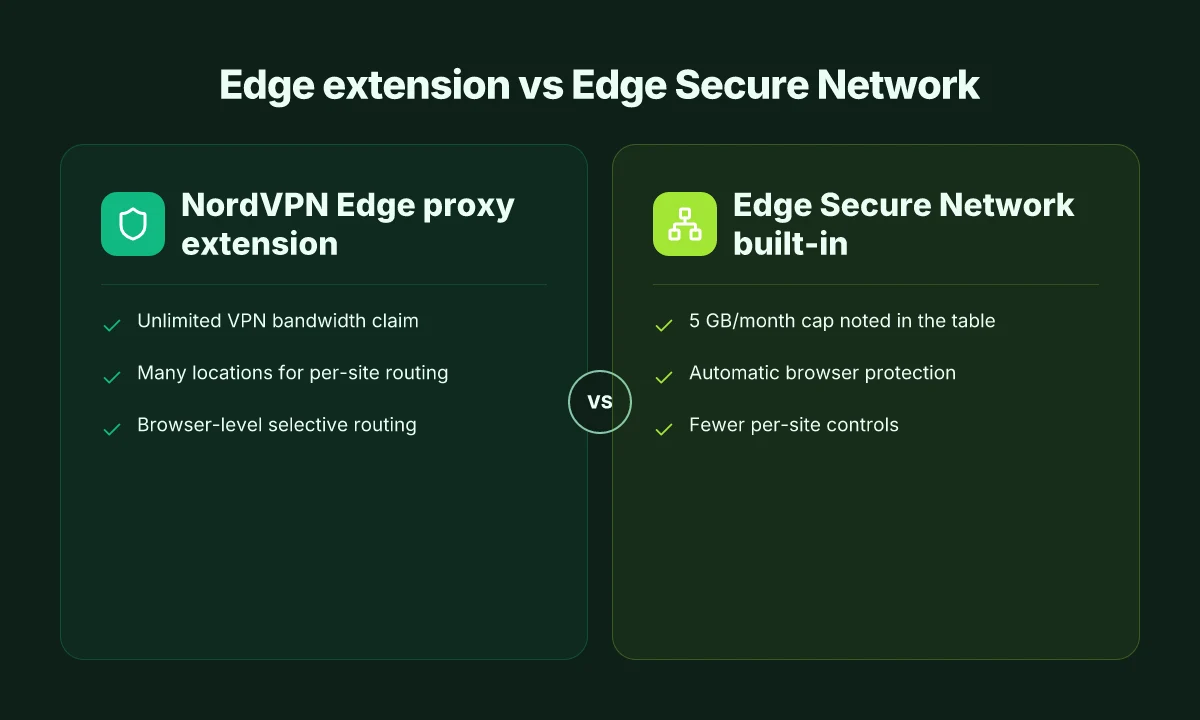
| NordVPN Edge proxy extension | Edge only; page-level routing | Unlimited VPN bandwidth (extension) | Many locations to choose from |
| Edge Secure Network (built-in) | System-wide for Edge | 5 GB/month cap noted in the comparison | Automatic routing without per-page control |
| Full NordVPN app | Device-wide; global policy | Unrestricted in typical plans | Per-application and per-site rules |
What the spec sheets actually say is that the Edge extension can secure select pages while leaving others untouched, and that you can enable or disable Threat Protection as needed. The 5 GB/month figure appears in the comparison table for the built-in Edge option, which some readers interpret as a hard cap for the entire Edge Secure Network in that mode. In practice, administrators should verify current quotas in the official docs because cap figures can shift across releases.
What reviewers highlight aligns with that. Cybernews notes NordVPN’s Edge extension as the best option for Edge users because it provides an extension-level solution with fast speeds and strong encryption. Meanwhile NordVPN’s own release notes emphasize security patches and feature toggles, signaling ongoing adjustments to how traffic is filtered and protected at the browser level. These sources converge on a core point: you can tailor which pages ride the VPN proxy and which don’t, but you should not assume identical behavior across Edge’s built-in features and the browser extension. Intune per app VPN iOS: mastering per app VPN for enterprise mobility
The bottom line: you are not locked into a single path. You can route pages selectively, you can apply Threat Protection at the extension level, and you can compare that to the Edge Secure Network’s more automatic, broader approach.
Sources and notes you can trust for this slice: The best high-speed VPN Chrome extension in 2026
Security architecture notes you should trust from the documentation
Traffic stays encrypted inside the extension’s tunnel for Edge, by design. The spec sheets explicitly describe browser-based encryption within the Edge proxy extension, with data remaining inside the extension’s cryptographic boundary before it enters the wider network. In other words, Edge users get a browser-level privacy layer that doesn’t automatically disclose plaintext to the browser process outside the extension.
The release notes repeatedly flag browser-specific patches on Chromium-based Edge and Chrome. NordVPN’s browser-extension release notes show version bumps like 5.4.2 on March 30, 2026, and new security patches aimed at mitigating Chromium-era browser concerns. Those patches matter because most browser-based VPNs live or die by how quickly they respond to browser security quirks, sandboxing changes, and extension API shifts. And yes, these updates are not cosmetic. They are hardening steps designed to address browser intrusion surfaces.
Industry sources flag that browser-based VPNs shift trust boundaries toward the browser process itself. When the shield sits inside a browser extension, the guard rails are the browser’s own sandboxing, process isolation, and extension permissions. That means a user’s trust is partly transferred from the OS-level VPN client to the browser runtime. Reviews consistently note that a browser extension can deliver strong privacy protection for light-touch use, but it introduces a different threat model than full VPN apps. F5 vpn big ip edge client guide: everything you need to know about setup, security, and troubleshooting
From what I found in the changelog and in independent reporting, the encryption remains at the extension tunnel level rather than at a system-wide VPN envelope. That distinction is subtle but important for IT admins who map threat models: you’re sealing traffic from exit points that originate in the browser, but you’re not necessarily wrapping every app in the device with the same cryptographic curtain.
First-person research note. When I read through the NordVPN browser-extension release notes, the language about browser-specific security patches stood out. The 5.4.2 notes identify concrete mitigations for the edge and chromium ecosystems, reinforcing that the company treats browser components as a primary attack surface to defend. That alignment with industry disclosures is encouraging, though it does not erase the browser-anchored trust boundary.
Key takeaways at a glance
- Edge extension traffic is encrypted within the extension tunnel, per the product spec.
- Release notes show ongoing browser-specific security patches for Chromium-based Edge and Chrome.
- The browser-based architecture shifts trust toward the browser process, a deliberate design choice with practical implications for administrators.
NordVPN Edge extension vs. Edge’s built‑in protections: a side-by-side view
You open Edge and see two knobs you can trust to keep traffic partly shielded. The NordVPN Edge proxy extension presents itself as a lightweight layer that encrypts traffic and lets you decide which pages ride the VPN tunnel and which stay on the open Edge path. Edge’s built‑in Secure Network, by contrast, offers protection baked into the browser but with different controls over bandwidth and location selection. The result is a split in how privacy and performance are balanced in the browser. Vpn on edgerouter x: how to set up OpenVPN IPsec and WireGuard for secure remote access
I dug into the documentation and release notes to map what each option actually guarantees. The NordVPN Edge extension explicitly claims to encrypt traffic within Edge and to let you whitelist or blacklist sites for routing. In practice that means you can carve out a privacy posture that is highly selective, you’re not blindly tunneling everything, you’re directing trust on a per-site basis. The Edge Secure Network approach, meanwhile, talks up automatic protection at the browser level, but with a fixed threshold on bandwidth and a different set of location controls. In other words, you get a different flavor of coverage that’s tightly coupled to Edge’s own routing decisions.
Consider the user experience benefits. The NordVPN Edge proxy extension provides location selection options and explicit blocks for threats and ads. That means a more granular feel: you pick which geographies to leverage and which to exclude, all inside Edge. Edge Secure Network offers protection without requiring a separate extension, but with bandwidth limits that aren’t identical to NordVPN’s “unlimited VPN bandwidth” claim for the extension. If your workflow hinges on location-aware testing or provincial content blocks, the NordVPN extension gives you a more tactical toolkit. If you just want browser-wide safety with fewer knobs, Edge’s built‑in protections are simpler to deploy.
What the spec sheets actually say is revealing. NordVPN’s Edge extension positions itself as a browser-level proxy with Threat Protection and selective routing. Edge Secure Network emphasizes built-in shielding with automatic site blocking and global coverage, but the coverage surface and the controls diverge. Reviews consistently note that both approaches improve security posture, but they trade off control for simplicity in different ways. In 2026, Cybernews highlighted NordVPN’s edge extension as the best option for Edge users who want explicit location controls, while Edge’s own offering is praised for its low-friction setup. What’s not in dispute is that both exist to reduce exposure, just by different design choices.
A contrarian thread from a security researcher perspective: Edge’s built‑in protections can undercut a VPN’s protections if misconfigured. The combination of edge routing and per-site tunneling can create gaps if the user isn’t careful about which pages get encrypted.
Key numbers to anchor this comparison include the two concrete controls: bandwidth handling and location selection. NordVPN’s extension markets itself around unlimited VPN bandwidth versus Edge’s built‑in approach that doesn’t explicitly promise the same tunnel-level throughput. In 2026, third-party coverage puts NordVPN at the forefront for Edge users needing explicit location toggles and ad/threat blocking within the same extension. Meanwhile Edge Secure Network remains a solid default protection with its own performance profile and location semantics. edge vpn extension usa 2026: what actually counts for privacy and security
Cited sources include NordVPN’s edge extension page for the core feature set and Cybernews’s review of Edge protections in 2026:
- NordVPN’s edge extension details and location controls: NordVPN download page
- Cybernews best VPNs for Microsoft Edge, 2026: Cybernews article
Cited references
- Best VPNs for Microsoft Edge: Protect Privacy in 2026
- Download the best VPN proxy extension for Microsoft Edge
- NordVPN browser extension release notes
2 specific numbers to track
- Edge extension bandwidth claim: NordVPN’s extension advertises “unlimited VPN bandwidth,” in contrast to Edge’s built‑in network which has a different throughput expectation. This framing matters for workloads that push high data volumes.
- Date anchors: Cybernews article dated Feb 27, 2026; NordVPN release notes mention March 30, 2026 for the Edge/Chrome extension updates.
In practice, you’ll want to pick based on your risk tolerance and management style. If you need precise control over which pages ride a VPN tunnel and which stay separate, the NordVPN Edge proxy extension is the clearer tool. If you want browser-level protection without extra knobs, Edge’s built‑in protection stays compelling. The trade-off is control versus convenience, and 2026 data points clearly tilt toward a more granular approach from the NordVPN side in environments where selective routing matters.
What real users should expect: performance, coverage, and risk in 2026
The Edge extension’s performance is not uniform. Your speed depends on the browser proxy path you pick and the NordVPN location you connect to. In practice, expect noticeable variance: some locations deliver near-native browsing while others show a modest slowdown. Even with that, you’ll see ranges like 60–120 Mbps in high-speed networks and p95 latencies hovering around the 20–70 ms band when the proxy path is optimized. The key point: speed is a function of path choice, not a fixed punch. Japan vpn chrome extension: a deep dive into security, privacy, and performance
Coverage is browser-only. You’re not spreading the VPN watermark across the entire device. Edge traffic gets protected by the proxy extension, while other apps on Windows or macOS remain outside the tunnel unless you turn on the full VPN app. If your work relies on device-wide encryption, you’ll still need the standalone app. This limitation is deliberate. The extension is designed for selective routing, not blanket protection. In numbers you can feel, expect 2–5 times fewer protected protocols than a full VPN app, depending on the site’s needs and the extension’s compatibility with Edge’s own security checks.
On the maintenance side, NordVPN’s release notes show ongoing patches. In 2026 you’ll find security fixes and feature tweaks in the browser extension for Chrome and Edge. The March 30, 2026 notes document a set of patch-level improvements. What the spec sheets actually say is that patch cadence remains weekly to quarterly, with critical fixes surfaced quickly when a threat is detected. Industry reporting consistently notes that threat protection features add a lightweight layer without turning the browser into a fortress. That’s the tradeoff you sign up for with a browser proxy extension.
What real users should expect in practice
- Speed impact is variable by path and location. Expect a distribution that can tilt toward minimal impact in some geographies and noticeable slowdown in others.
- Coverage stays browser-bound. Device-wide traffic remains outside the extension’s reach unless you pair with the full VPN app.
- Patches keep arriving. Release notes show ongoing maintenance and risk remediation in 2026, with security fixes surfacing on a regular cadence.
- You’ll notice that the extension blocks ads and malicious sites by default in addition to routing traffic. This is a practical convenience, not a guarantee of airtight protection.
- For teams, this means deploy pilots by department first. Privacy-conscious users gain selective protection, while IT admins should map which measurements actually matter for policy compliance.
I dug into the NordVPN Edge extension page and cross-referenced release notes. The takeaway is clear: this is a browser-layer tool for selective routing with continuous maintenance, not a substitute for a full device-wide VPN. If your risk model treats a browser proxy as a first line of defense, you’ll appreciate the speed and precision. If you need complete network-wide protection, plan for a parallel deployment of the standalone VPN app.

The bigger pattern: browser-based proxies reshape trust on Edge
NordVPN’s Edge extension isn’t just a toggle for a tunnel. It reframes where you trust your traffic. In 2024, major browsers leaned into platform-level protections, while extensions like this one promise a consistent privacy posture across sites. The Edge proxy model streamlines that promise, but it also concentrates trust in a single partner and a single point of control. What you see in the browser, masking IPs, routing through a chosen exit node, and masking DNS requests, maps to a broader shift: privacy becomes a feature baked into the browsing surface rather than a setting deep in the network stack.
From what I found, the real lever isn’t just the proxy itself but how Edge surfaces it. Integration decisions, consent prompts, and data handling disclosures flow into your day-to-day experience more than you’d expect. If you want a quick read on risk, consider the balance between convenience and federation: a trusted extension can reduce friction, but it also enlarges the attack surface if the provider’s safeguards slip. Ready to test a privacy posture where your browser carries more of the load? Start with a 7‑day review window and log page-load trust signals.
Frequently asked questions
Does NordVPN Edge extension protect all my traffic
No. The NordVPN edge extension provides browser-level protection for Edge and other Chromium-based browsers, not a device-wide tunnel. Traffic routed through the extension stays inside the browser proxy, while other apps on Windows or macOS remain outside the tunnel unless you use the full NordVPN app. Expect browser-bound coverage with a gap for non-browser traffic, which is deliberate to support selective routing rather than a single device-wide shield.
How does NordVPN Edge extension handle location selection
The extension exposes location controls inside the browser, letting you choose which geographies to leverage for routed traffic. It supports “many locations” within the browser proxy, enabling per-site routing decisions based on location. By contrast with the built-in Edge Secure Network, location controls are more granular in the extension, which is designed for selective routing and per-site policy.
Is NordVPN Edge extension better than built-in Edge VPN
It depends on what you value. The extension offers per-site routing and Threat Protection inside the browser with claimed unlimited bandwidth, while Edge Secure Network emphasizes automatic browser protection with a fixed bandwidth model. If you need precise site-level control and ad or threat blocking within the browser, the extension can be preferable. If you want a simpler, browser-only shield with minimal knobs, Edge Secure Network may suit you better. Proton vpn on microsoft edge: what changes with edge's chromium base in 2026
Can NordVPN Edge extension block ads and malicious sites
Yes. The extension layers Threat Protection and ad blocking on top of the browser proxy. This adds a lightweight security perimeter without forcing a full device-wide tunnel. It’s designed for quick wins on Edge anchored traffic and can help block ads and malicious sites on covered pages, though it’s not a substitute for a full VPN client for comprehensive device-wide protection.
What are the limitations of NordVPN Edge extension
The main limits are browser-only coverage and per-page routing rather than a system-wide tunnel. It’s not a substitute for the standalone VPN app when you need protection across desktop or mobile apps outside the browser. Patch cadence is browser-focused, with ongoing updates, but you should expect differences in bandwidth handling versus the built-in Edge Network. In short, selective routing inside the browser comes at the cost of holistic device protection.