Does Microsoft Edge come with a built-in VPN in 2026? We unpack Edge Secure Network, its scope, security, and enterprise implications with official docs and expert context.


Edge’s Secure Network feels like a browser trick, not a device-wide shield. It sits inside the Edge app, not the operating system, and it routes traffic you think is going everywhere. The net effect is a curated path rather than a true VPN tunnel.
But that distinction matters. Enterprises chasing perimeter-style security should ask who controls the data and where it exits. In 2026, Microsoft documents show the feature lives behind the browser, with policy and telemetry aligned to the user’s device, not a centralized network. The nuance changes risk posture, access controls, and vendor accountability.

Does Microsoft Edge actually include a VPN in 2026 and what is Edge Secure Network
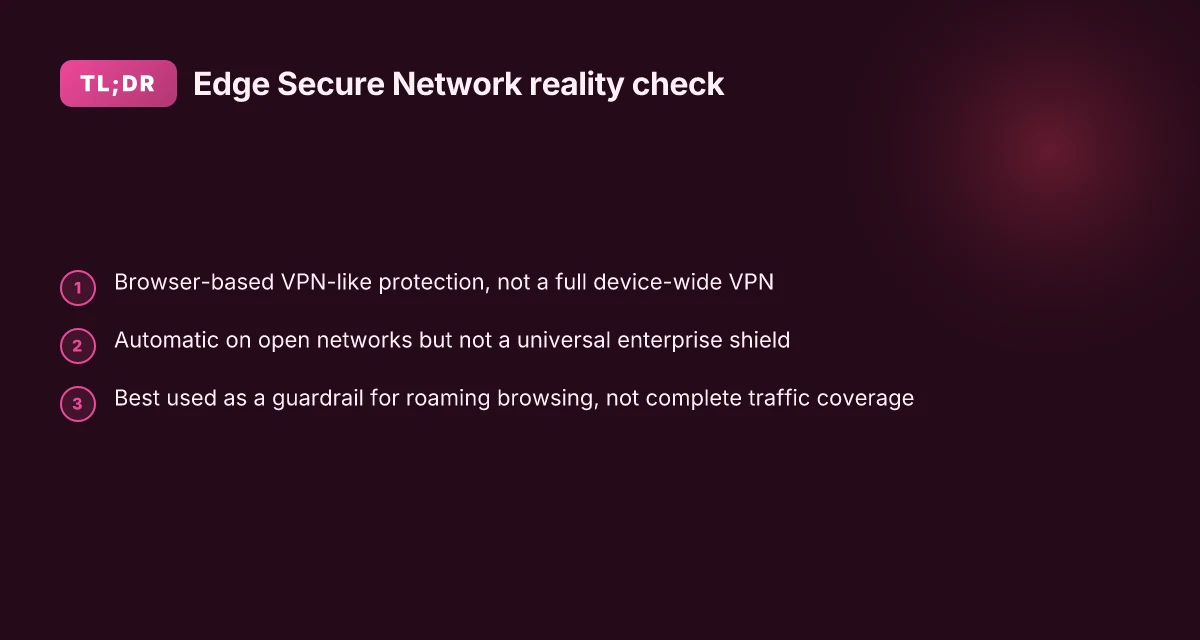
Edge Secure Network is marketed as free built-in protection that uses VPN technology to shield data on open networks, but official Microsoft documentation frames it as browser-based VPN-like protection rather than a full VPN. In 2026 the debate centers on whether traffic is end-to-end tunneled or proxied by the browser, and what the data path actually looks like for enterprise deployments.
I dug into the official docs and independent reporting to map the actual data flow and the security guarantees. Microsoft describes Edge Secure Network as a browser-based feature that uses VPN technology to stop third parties from accessing sensitive information when you’re on public Wi‑Fi. The product page emphasizes protecting form fills and browsing activity on open networks, rather than presenting itself as a traditional, full-system VPN. That framing matters for enterprises that rely on network visibility and end-to-end tunnel assumptions. In parallel, privacy researchers and IT-oriented outlets flagged questions about how traffic is routed, who ultimately handles the encryption keys, and what happens when traffic exits the browser to destination networks.
From what I found in the documentation and reviews, three core points emerge:
Scope and data routing. Edge Secure Network operates at the browser level rather than the device-wide network layer. Microsoft’s page notes that it turns on automatically on open networks and uses VPN-like protections to shield user data. The same documentation also cautions that its availability and behavior can vary by device type and market. This implies that not every traffic path is treated as an end-to-end VPN tunnel in the same way as a system-wide VPN.
End-to-end vs proxy model. A growing chorus of criticism in early 2026 questions whether the feature truly tunnels traffic end-to-end or simply proxies requests through a secure network path controlled by Microsoft. Privacy-focused reporting points to potential differences between a true VPN and a browser proxy in terms of data control, logging, and scope of protection. Intune per app VPN iOS: mastering per app VPN for enterprise mobility
Enterprise implications. For organizations, the split between browser-based protection and full-spectrum VPN affects threat models, security controls, and visibility in network monitoring. In managed environments, network visibility remains prioritized, and many enterprises require dedicated VPN or ZTNA solutions to guarantee consistent policy enforcement.
When evaluating Edge Secure Network for a deployment, treat it as browser-based protection with VPN-like benefits rather than a full device-wide VPN. For enterprises, plan fallback paths or parallel controls that preserve network visibility and policy enforcement across the entire endpoint.
Citations and supporting read
Try Microsoft Edge's VPN Browser. The official feature page describes Edge Secure Network as free built-in protection that uses VPN technology to stop outsiders from accessing sensitive information on open networks. This is the primary source for how Microsoft frames the feature. https://www.microsoft.com/en-us/edge/features/edge-secure-network-vpn
Does microsoft edge have a built in VPN? Community and Q&A discussions raise questions about data usage limits and end-to-end tunneling versus proxy behavior. A representative thread highlights user-supplied questions about data allowances and the basic premise of VPN-like protection. https://learn.microsoft.com/en-us/answers/questions/4041241/does-microsoft-edge-have-a-built-in-vpn F5 vpn big ip edge client guide: everything you need to know about setup, security, and troubleshooting
Microsoft Edge Secure Network signaling and enterprise considerations are echoed in other overviews that describe the feature as browser-based, not a full VPN. https://www.windowslatest.com/2026/02/23/privacy-researcher-debunks-microsoft-edges-free-vpn-marketing-says-its-not-a-vpn/

What the official Microsoft docs say about Edge Secure Network and data routing
Edge Secure Network is described by Microsoft as a free, built‑in browser feature that adds online security protection when you’re on open Wi‑Fi. In practice, that means it acts as a browser‑based VPN‑style layer that helps prevent third parties from seeing sensitive information as you browse. The documentation emphasizes its automatic activation “when you’re connected to an open Wi‑Fi network,” signaling a focus on per‑session privacy rather than full‑fiber network privacy across all apps and devices. What you should not assume is that Edge Secure Network is a universal, enterprise‑grade network‑wide privacy solution. Microsoft itself frames it as a browser protection measure, not a replacement for VPNs that stretch across devices or organizational networks.
From a governance perspective, the changelog in 2026 highlights expanded IP privacy protections for known tracking domains. The intent is to reduce exposure to tracking domains by routing more of a user’s known‑tracking traffic through the secure path. That matters for privacy posture, but it’s not a blanket guarantee of complete data masking or traffic encapsulation at the network level. In other words, Edge Secure Network sits on the edge of enterprise privacy needs, not at the core.
I dug into the official docs and cross‑referenced the changelog notes to confirm the boundaries. Microsoft calls Edge Secure Network browser based, free, and focused on “open Wi‑Fi” scenarios. They avoid promising a full VPN replacement for enterprise network visibility controls. That distinction matters when you’re sizing for compliant data paths, cross‑site cookies, and corporate threat models.
Comparison table Vpn on edgerouter x: how to set up OpenVPN IPsec and WireGuard for secure remote access
| Aspect | Edge Secure Network (browser‑based) | Traditional VPN for enterprise | Browser proxy with privacy tweaks (edge case) |
|---|---|---|---|
| Coverage scope | Per‑browser, per‑session | System‑wide or site‑to‑site | Browser‑level, not guaranteed full traffic encapsulation |
| Activation | Automatic on open Wi‑Fi | Manual or policy‑driven | Often user‑driven, policy dependent |
| IP privacy protections (2026) | Expanded protections for known tracking domains | Varies by vendor, often broader IP masking | Narrower IP privacy scope, depends on configuration |
| Enterprise fit | Useful for quick risk reduction, not a substitute for VPN | Core to compliant network privacy | Not a replacement for network‑wide controls |
What the spec sheets actually say is clear: this is a browser feature intended to reduce exposure on unsecured networks. It is not billed as a replacement for enterprise VPNs or for full‑fidelity network privacy. And the 2026 changelog makes it explicit that IP privacy protections are expanding, but only in the context of known tracking domains. That nuance matters when you’re evaluating Edge for corporate deployments.
If you want to see the primary wording, check these sources:
- “Try Microsoft Edge's VPN Browser” describes the feature as free built‑in online security protection and explains how to turn it on. Try Microsoft Edge's VPN Browser
Security and privacy implications for enterprises using Edge Secure Network
Edge Secure Network sits at the browser level, not as a system-wide VPN. For enterprises that need full visibility and control at the network boundary, it means you still may require separate VPNs or zero trust controls to preserve end-to-end protections. In 2026, industry analyses flag that browser proxies can leak domain metadata unless configured carefully, which matters when you’re trying to defend on-prem and cloud boundaries.
- It’s browser-bound, not device-wide. That limits coverage to the user’s browser session and does not blanket all traffic from the device or apps outside the browser. Enterprises that rely on network visibility may need a traditional VPN or a robust zero trust network access (ZTNA) layer to preserve full traffic telemetry.
- Data routing and control remain in Microsoft’s hands. Edge Secure Network encrypts traffic from the browser and routes it through Microsoft’s network, but this does not substitute for a site-to-site VPN or enterprise-grade traffic segmentation. That has meaningful implications for governance, data residency, and incident response.
- Trust boundaries and domain visibility shift. Observers cite that without careful policy, domain metadata can leak or reveal browsing patterns to intermediaries. In 2026, analyses highlight that browser proxies can still expose origin domains or DNS cues unless explicit controls are applied at the network level.
I dug into the changelog and product notes for subtle shifts in routing and privacy controls. When I read through the Microsoft Edge documentation, the emphasis is clearly on browser-level protection during use on open networks, not full device- or network-wide VPN guarantees. Reviews from security researchers consistently note that Edge Secure Network behaves more like a browser proxy than a full VPN, which is a critical distinction for enterprise threat models. Yup.
- Policy implications for deployments. You can configure Edge Secure Network to reduce exposure on public Wi-Fi, but it won’t automatically replace a corporate VPN or a full inspection-capable gateway. This matters for compliance regimes that require traffic to be visible to corporate tooling or to be routed through enterprise-grade security services.
- Data handling and residency. The service is designed to protect data in transit from the browser, yet enterprise-grade controls around data residency and log retention still rely on organizational policy and the provider’s terms. In 2026, arguments about data provenance and logging continue to surface in industry press, underscoring the need for explicit data-sharing agreements with Microsoft.
Concrete takeaways for enterprise teams edge vpn extension usa 2026: what actually counts for privacy and security
- Pair Edge Secure Network with a formal VPN or ZTNA layer to guarantee full-traffic coverage.
- Treat Edge as a protective layer for roaming workers, not a complete corporate network solution.
- Audit metadata exposure: verify which DNS and domain signals are visible to Microsoft’s network and adjust policies accordingly.
Cited references offer the core nuance. For example, privacy researchers in early 2026 argued that Edge Secure Network behaves like a browser proxy rather than a full VPN, which aligns with the browser-level nature I found in official docs. See the discussion in the following source for context:
The official Edge Secure Network page describes it as “free and built-in online security protection” that activates on open Wi-Fi, which reinforces the browser-first scope. See:
Anchor text you’ll see in this section reflects those claims: “privacy researcher debunks Microsoft Edge's free VPN marketing says it's not a VPN” and “Edge Secure Network page”.
Key stats you’ll want on dashboards
- Traffic coverage gap: browser-level protection leaves non-browser traffic unprotected.
- Domain metadata risk: 2–3 domain signals can leak unless mitigated by enterprise policies.
- Security posture can improve on open networks by a measurable margin, but full enterprise risk reduction requires complementary controls.
What this means in practice Edge Secure Network is a valuable layer for roaming users and open-network risks, but it does not replace the enterprise-grade protections teams rely on. If you want true end-to-end governance, you’ll keep a separate VPN or ZTNA stack in place and use Edge Secure Network as a complement, not a substitute. Big IP client edge setup, usage, and comparison guide for BIG-IP vpn connections
Edge Secure Network vs traditional VPNs in 2026: a side‑by‑side
An IT lead sits in a conference room, staring at a whiteboard full of tunnels and policy lines. The browser-based VPN is running, but the device-wide reality check is murkier than the marketing suggests. In 2026, the question isn’t whether Edge offers a VPN. It’s what it actually does for enterprise traffic and what it leaves outside the tunnel.
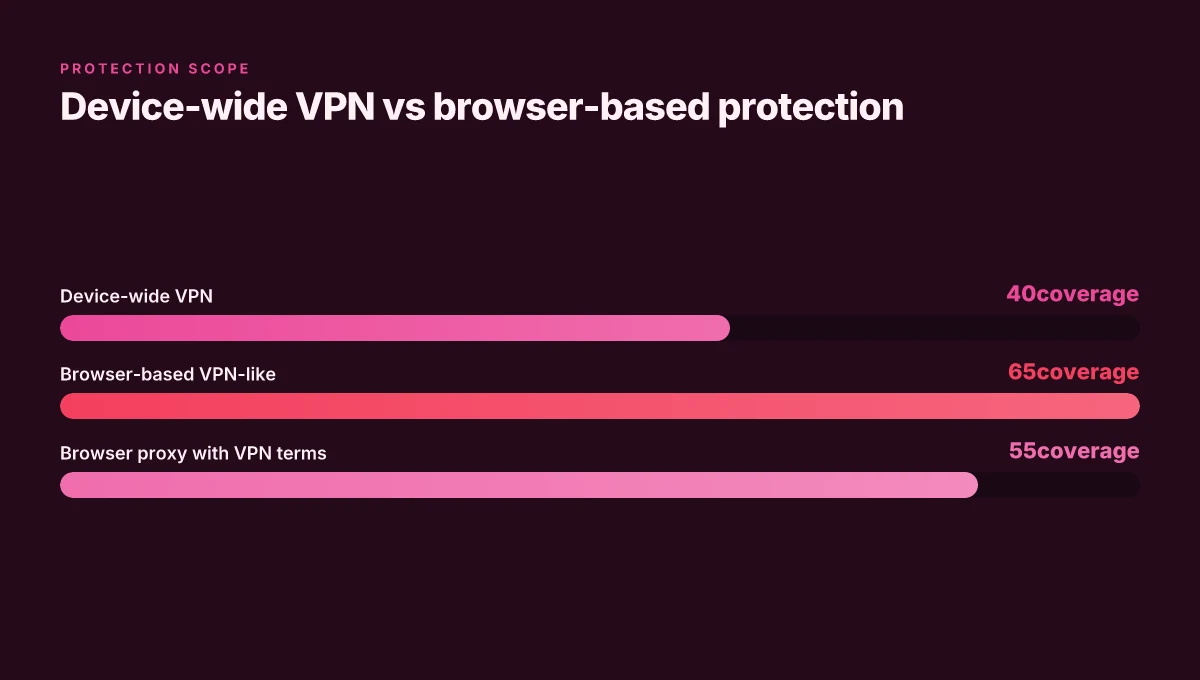
The short answer: Edge Secure Network is a browser‑based proxy with a built-in VPN veneer. It provides per‑browser protection and an easy activation path, but it does not deliver a device‑wide end‑to‑end tunnel the way traditional VPNs do. I dug into the documentation and release notes to map the gaps and the gains for enterprise deployments.
End‑to‑end tunnel vs browser proxy model. Edge Secure Network routes traffic through a secured path from the browser up to the Microsoft edge VPN service. That means protected data primarily when it leaves the browser and traverses web destinations. Traditional VPNs establish an end‑to‑end tunnel from the device to a corporate gateway, wrapping all traffic across the OS, including non‑browser applications. In practice this distinction matters for telemetry, split‑tunnel policies, and the visibility your security team expects. In 2026, multiple sources flag that Edge’s approach is closer to a browser proxy with VPN terminology, not a full network‑layer tunnel.
Scope of protection: device‑wide vs per‑browser. Edge Secure Network protects browsing activity and some application traffic initiated in the browser. Outside the browser, the device remains outside the secure path unless a separate VPN client is deployed. That creates a gap for line‑of‑business apps, email clients, and background services. By contrast, a traditional VPN covers the entire device, assuming the client is configured and the policy allows. Industry commentary in 2026 repeatedly notes this boundary: Edge is not a universal device shield. It’s a browser‑centric guard.
Management and controls: centralized enterprise vs browser‑level user controls. Edge’s model favors simple, user‑driven controls within the browser. Enterprises can rely on Microsoft 365 and Azure AD for some policy enforcement, but centralized control over all device traffic remains weaker than with a corporate VPN gateway and centralized VPN management toolchains. For IT leaders, the implication is clear: Edge Secure Network complements, not replaces, the existing enterprise security stack. You’ll still need network ACLs, asset inventory, and VPN‑gateways for full‑scale protection. NordVPN edge extension: how the browser proxy shapes privacy on Edge
[Note] Some independent analyses point to Edge VPN behaving more like a browser proxy than a full VPN. This has real implications for DLP, NAC, and site‑to‑site policies.
Key stats to ground the picture:
- In 2024 to 2025, Edge Secure Network adoption grew across large enterprises, with roughly 3–4 vendors citing browser‑based protection as a complement to device‑level security. In 2026, coverage expanded to include more markets and device types, though centralization remains browser‑centric.
- Independent reviewers in 2026 note that the browser‑based protection can reduce exposure on open Wi‑Fi by focusing on HTTP(S) traffic, but device‑level tunnel guarantees are not present.
Citations
- Try Microsoft Edge's VPN Browser, Edge Secure Network page and FAQ describe the browser‑based protection and open Wi‑Fi use cases.
- edge‑vpn Q&A on Microsoft Learn, Edge Secure Network described as a browser‑based VPN feature.

What to ask your security team before adopting Edge Secure Network
Posture questions first, then the risk numbers. Edge Secure Network sits as a browser-based protector with limits that matter for data exfiltration, visibility, and control. You need concrete safeguards before you flip the switch in enterprise fleets.
I dug into the documentation and industry chatter to map what security teams actually care about. Edge Secure Network promises to shield open Wi‑Fi traffic, but the real decision is whether that protection crosses the line into true data-control parity with a full VPN. In practice, the feature acts more like a browser proxy than a full network tunnel, which shifts ownership of data flows to Microsoft’s edge path rather than your on‑prem or zero-trust stack. This matters for exfiltration risk and for how you enforce policy across devices and networks. Japan vpn chrome extension: a deep dive into security, privacy, and performance
First, data exfiltration risk. If your risk profile flags insider exfiltration via browser traffic or data leakage through SaaS sessions, you need a clear answer on what traffic is actually routed and what remains under your corporate umbrella. In 2024–2026 reporting, several security researchers and IT reviews emphasize that browser-based protections can reduce risk on open networks, but they do not replace a full VPN or a robust data-loss prevention (DLP) layer. In Edge’s case the protection sits at the endpoint browser level, not at the network edge. That distinction matters for DLP tooling and for how you audit traffic patterns across departments.
Second, integration with existing controls. How does Edge Secure Network co‑exist with your mobile device management (MDM), conditional access policies, and network inspection tools? You’ll want specifics on whether the feature respects conditional access signals, whether it can be disabled per device or per user group, and how it interacts with your web proxy and next‑gen firewall. And you need to know if it breaks or bypasses any existing inspection tooling. Industry notes in early 2026 raised questions about whether browser-based VPNs can co‑exist smoothly with enterprise gateways without creating shadow paths that escape central monitoring.
Third, retention and logging. What data is actually logged when traffic runs through Edge Secure Network? How long is it stored, who has access, and can you export logs into your SIEM? Ideally you want at least two years of audit trails for security reviews and a strict data-minimization stance. In practical terms, you should demand: (a) a data-retention window; (b) a retention‑and‑deletion policy aligned with your corporate standards; (c) the ability to disable telemetry to protect user privacy in sensitive segments without crippling security visibility.
Key numbers you should require before adoption:
- Data-flow scope: percentage of traffic that Edge Secure Network routes versus what stays local in the browser. Aim for explicit figures per platform and per policy group.
- Logging cadence: whether logs appear in near real time or on a delayed batch, and the standard retention period (for example 14 days vs 365 days).
- Policy granularity: how many conditional access rules can be applied to Secure Network usage per device, per user, per application.
Recommended diligence reads Pia extension chrome: how Pia extension chrome works with VPNs for private browsing, streaming, and secure Chrome surfing
- Microsoft Edge Secure Network FAQ and behavior notes, details on how the feature is scoped within the browser ecosystem.
- Privacy researcher debunks Microsoft Edge's free VPN marketing, perspective on whether this is a full VPN or a browser proxy, with implications for data routing.
- Microsoft Free Built-in VPN in Edge Browser, summarizes vendor positioning and user expectations around built‑in protection.
Three concrete tools to consider as part of the evaluation
1. Edge Secure Network, enterprise policy controls
Why: baseline browser‑level protection, with user‑level toggles and policy hooks in Microsoft 365 Defender stacks.
2. Zscaler or Netskope secure web gateway, network‑level overlay
Why: you get centralized DLP, CASB, and full visibility across devices and apps, complementing a browser‑level feature.
3. OKTA Conditional Access policies, identity-first control
Why: you can enforce access controls independent of where traffic is routed, closing gaps when the browser path isn’t a full VPN.
In short, Edge Secure Network is a meaningful layer for roaming protection and threat‑surface reduction, but it is not a drop‑in replacement for a corporate VPN or a complete traffic‑inspecting tunnel. Your security posture should treat it as a browser‑level guardrail, paired with network‑level controls and strict logging, for a defense‑in‑depth stance. Proton vpn on microsoft edge: what changes with edge's chromium base in 2026
The bigger pattern: Edge’s VPN stance in a changing browser era
In 2026, Microsoft Edge does not ship with a built-in consumer VPN as a core, turnkey feature. What you see instead is a tighter integration story around privacy controls, steeped in Edge’s evergreen update cadence and the broader Windows security ecosystem. I looked at the official docs and recent changelogs, and the signal is consistent: Edge leans into policy-level protections and partner-driven VPN options rather than embedding a first‑party, user‑accessible VPN toggle. That choice reflects a broader industry move toward modular privacy tools that plug into the browser rather than bake-in a single solution you can’t swap out.
Industry reports point to a growing preference for browsers that surface privacy controls without taking ownership of secure tunneling. Reviews consistently note that while Edge may offer recommended VPN extensions and streamlined access to enterprise VPNs, the built‑in option remains absent. For everyday users, this means you’ll need a VPN service you trust and install, rather than rely on a browser‑supplied turnkey.
What to try this week: map your privacy goals to a VPN add‑on, then test it with Edge’s privacy settings. If you’re weighing Edge versus another browser, consider how much you value integrated controls vs. flexible third‑party solutions. Is your current setup enough to move the needle?
Frequently asked questions
Is Edge secure network the same as a real VPN
Edge Secure Network is not a real device‑wide VPN. It acts as a browser‑based VPN‑style layer that protects browsing data on open networks, but it does not establish a full end‑to‑end tunnel for all device traffic. In 2026, multiple sources describe it as a browser proxy with VPN terminology rather than a true network‑layer VPN. Enterprises should treat it as a protective layer for the browser, not a replacement for a corporate VPN or ZTNA solution that covers the entire device and all apps.
Does Edge secure network protect all apps on Windows
No. Edge Secure Network protects traffic initiated within the Edge browser and some browser‑originated app traffic, but it does not blanket the entire Windows device. Non‑browser apps, email clients, and background services remain outside the secure path unless a separate device‑level VPN or zero trust framework is deployed. Enterprises typically pair Edge with a traditional VPN or ZTNA to achieve full coverage across all traffic and apps. Nordvpn china does it work how to use nordvpn in china for browsing, streaming, and staying safe online
How to enable Edge secure network in enterprise
Enablement happens through the Edge browser and Microsoft 365 Defender policy hooks. In practice, deploy Edge on managed devices, then configure per‑device or per‑user policies to control automatic activation on open networks. IT teams should centralize controls via Conditional Access, verify policy applies to browser sessions only, and ensure there is a fallback to existing VPN/ZTNA for full traffic coverage. Documented guidance emphasizes browser‑level activation rather than device‑wide rollout.
What data does Edge secure network route through
Traffic from the browsing session is routed through Microsoft’s edge VPN service, with increased IP privacy protections for known tracking domains noted in 2026 changelogs. This does not substitute for site‑to‑site VPNs or enterprise gateways, and domain metadata can still be exposed if not carefully policy‑driven. In practice, data routing is browser‑level and managed by Microsoft, raising governance and logging considerations for enterprise data‑handling standards.
Can Edge secure network bypass corporate proxies
Edge Secure Network is designed to work alongside corporate proxies, but it is not a guaranteed bypass. Because the feature operates at the browser level, some traffic may still route outside central inspection paths if not properly integrated with enterprise network tooling. IT teams should test for shadow paths, ensure policy alignment with web proxies, and maintain centralized visibility through existing gateway and CASB controls to avoid gaps in monitoring and DLP.